




 Martin Todorov

 Riccardo Muscarella

 Emma Rossi

 Matteo Moras

 Lucas Schmidt

 Roberto D'Adago

 Roger Jungo
Why safety matters when choosing a laser cutter for a classroom
A laser cutter for schools usually runs under a teacher's supervision while several students work nearby, so its safety needs to hold even when attention shifts elsewhere. A sensor fitted to the lid or door stops the laser the instant it opens, so the beam cannot continue firing if someone lifts the cover mid-job.
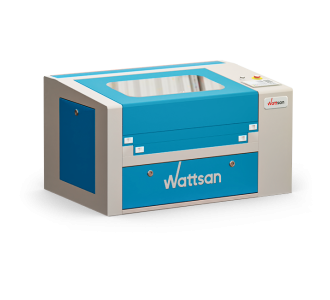
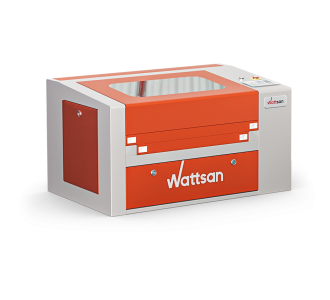
This kind of interlock matters more in a school setting than in a professional workshop, where operators are trained individually and typically work alone at the machine. The 0503 Hobby-T adds a second sensor on its front door, on top of the lid sensor, making it a common recommendation for shared classrooms.
FDA Class 1 - the laser cutter for schools class one certification that many buyers specifically look for when equipping a shared classroom.
For a buyer choosing equipment for a shared classroom, this interlock is often the deciding safety feature, more relevant to daily use than any single spec on the data sheet.
Classroom vs professional laser cutters for schools
A laser cutter for schools shows up at every level of education, from primary-school design lessons and school science clubs to full high-school engineering projects, with the required power and safety features changing as students progress.
Classroom-level machines are compact desktop or pass-through models, with power from 40W to 95W and a working area from 500×300 mm to 600×400 mm, enough for a laser engraver for schools running design lessons as well as introductory cutting projects such as wood signage and acrylic displays.
Vocational and STEM programmes needing higher throughput or thicker material typically move to a professional laser cutter for schools, such as the 6090 ST, 6090 LT, and 6090 PRO, covering a 600×900 mm working area with 80W to 120W of power for signage and small batch production. These professional models add a fully enclosed motion system and a built-in smoke and fire detection system with an alarm, which suits a workshop running longer, less supervised sessions.
How to choose a laser cutter for your school
Matching a laser cutting machine for schools to your programme comes down to four checks:
- Safety: an enclosed housing with a lid or door sensor that stops the laser when opened, plus a viewing window with a protective coating against infrared radiation, standard across the range.
- Power: 40-95W for classroom engraving and light cutting; 80-120W for vocational or STEM programmes cutting thicker material.
- Working area: 500×300 mm to 600×400 mm for desktop use; 600×900 mm on professional models for larger projects or batch work.
- Table type: a fixed desktop table suits most classes; a lifting or pass-through table helps with larger or thicker workpieces in advanced programmes.
Why buy from Virmer
Virmer is an official Wattsan distributor and supplier of laser cutting equipment for education and school workshops in Europe, where schools can buy CO2 laser machines for both classroom and professional use directly from stock. All machines come with technical support and after-sales service, while a free online demo allows schools to evaluate the controls and safety features before ordering.
Frequently Asked Questions about CO2 Laser Cutters & Engravers for Schools
Which laser cutter is suitable for a school workshop?
Fully enclosed CO2 machines are the standard for school workshops - the housing contains the beam, but still needs extraction to clear fumes, not enclosure alone. What matters most is enclosure, interlocks, an extraction connection, and an emergency stop, not just size: 500x300mm at 55-60W suits basic projects, 600x400mm at 90-100W suits heavier regular use, and 600x900mm or larger suits a dedicated, well-equipped school workshop. See our guide to choosing a laser cutter for school.
What safety features should a school laser machine have?
A school machine needs fully enclosed housing, an interlock that stops the laser instantly if the lid or door opens mid-job, an emergency stop, and a laser-safe viewing window. Cooling protection varies by model - confirm what your specific machine uses, rather than assuming a water flow sensor is standard. Machines must connect to extraction and carry confirmed safety certification for your market. Open-frame machines without interlocks or extraction carry significantly higher risk in schools.
What extraction and filtration are required in a classroom?
Extraction should vent directly outside wherever permitted and technically possible; where that's not feasible, use a professional filtration unit rated for your specific machine and materials, not general room ventilation. Filters need scheduled replacement, and extraction should be checked regularly. Allow a short delay before opening the lid after a job finishes, so residual fumes can clear. Confirm your school's specific ventilation requirements before installation.
Which materials are safe for students to laser cut?
Verified laser-compatible materials are the safest choice: untreated wood, laser-grade plywood, PMMA acrylic, paper, and cardboard, along with fabrics confirmed by their manufacturer as laser-safe. Plywood glue type, faux leather backing, and unknown fabric blends can all introduce risk - don't assume a material category is automatically safe. PVC and PVC-based vinyl must never be processed, since heating can release toxic, corrosive hydrogen chloride and other chlorine-containing gases.
How much training do teachers and students need?
Training should be based on demonstrated competency, not a fixed number of hours. Teachers need hands-on training on the specific model before supervising students. Students need an induction covering approved materials, starting/stopping the machine, and emergency procedures, followed by supervised practice - never unsupervised operation. Completed training should be recorded for each teacher and student.
How much laser power does a school need?
55-60W is sufficient for most classroom projects: cardboard, thin plywood, and acrylic. 90-100W suits thicker plywood, larger pieces, and heavier regular use. Fire risk depends on material, speed, power, focus, air assist, a clean cutting bed, and operator control - not on power alone, since too little power at too slow a speed can also increase heat buildup.
What software is suitable for teaching laser cutting?
Two types of software are needed: control software to send and manage jobs on the machine, and design software to prepare artwork. Inkscape, CorelDRAW, or Adobe Illustrator handle design - Inkscape itself doesn't operate the laser. Free options like Inkscape help schools avoid per-seat licensing costs across a classroom of stations. Confirm the exact control software, file formats, and OS compatibility for your Virmer model before deployment.
What software is suitable for teaching laser cutting?
Virmer can cover installation guidance, initial setup support, staff training on the specific model, and ongoing technical support for troubleshooting and maintenance. Response times, training format, and warranty terms vary by region and model, so get these confirmed in writing before purchase.

